
How to build a plumber website with AI
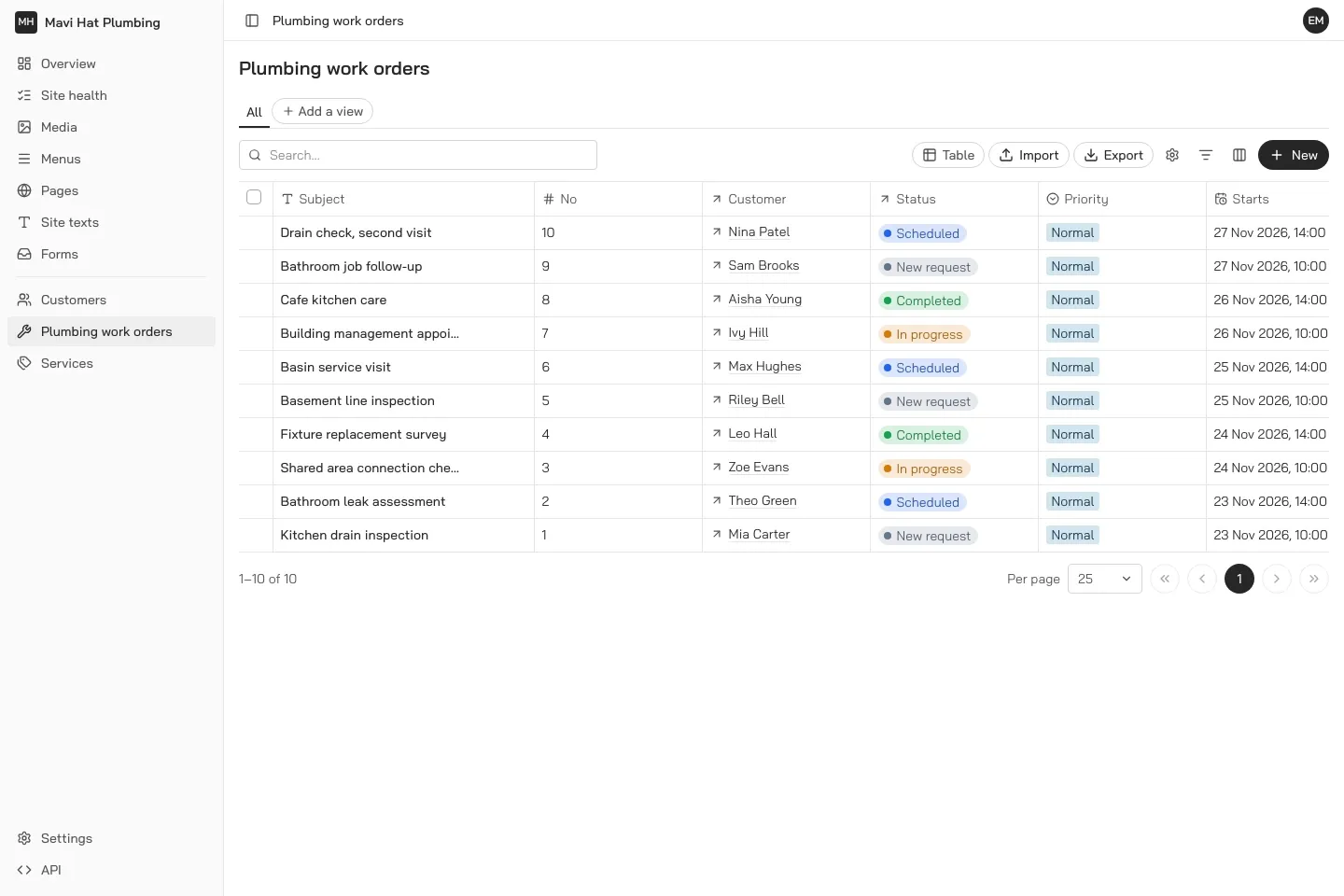
A plumber's website answers two people at once: a homeowner with a leak wants to know whether you cover their area and how a visit is arranged, and a property manager collecting estimates for common areas wants to see the scope of the work. On Workzed you describe your work in your own words; the AI consultant asks questions, shows the pages it will set up and builds what you approve. Leak assessment, refurbishment and planned maintenance go online on separate pages with clear scopes, and a request form collects the area, request type, availability and preferred callback channel. In the admin panel each job moves through pending, scheduled, in progress and complete, and earlier work at an address shows on its record.
A plumber's day with Workzed
- In the morning you check the visit calendar: assessments, service calls and follow-up visits are laid out by team and date. Each plumber sees the day's jobs and addresses on their phone and marks a job in progress when they start.
- Before noon a homeowner reports a water stain on the bathroom ceiling and asks to be contacted by WhatsApp. Opening the address shows last year's leak assessment in the same flat and the customer's details, and you put the assessment on the calendar.
- In the afternoon a property manager asks for a quote to replace the pipework in a block's common areas. Scope, possible dates and quote follow-up sit on one record, and you prepare the quote in the panel and send it.
- In the evening you close the finished jobs as complete and send each customer the invoice and a card payment link. Customers with a follow-up visit tomorrow get a reminder by SMS, WhatsApp or e-mail.
What the site and panel include
- Separate service pages for leak assessment, refurbishment and planned maintenance, each with its scope
- A service request form: area, request type, availability and callback channel
- A visit calendar for assessments, service calls and follow-ups by team and date
- Work orders with pending, scheduled, in progress and complete statuses
- Address and customer history: earlier visits at the same address
- Assessment and quote records, with invoices and card payment links
- Service coverage, a blog and a contact page with the phone, callback hours and enquiry channel
Frequently asked questions
I work on many flats in one building. Will the records get mixed up?
- Each job is tied to its own address, so opening a flat shows only the visits made there and the customer linked to it.
What if a customer wants a message rather than a call?
On the request form the customer picks their callback channel, and that choice stays on the enquiry.
Can I show materials and labour separately on a quote?
Quotes are prepared in the panel and sent to the customer. You tell the consultant how you split materials and labour, and it asks you during setup.
How do my plumbers use the panel on site?
The admin panel installs on a phone from the browser, like an app. Each plumber sees their own jobs, updates the status and adds notes on site.