
How to build a dental clinic website with AI
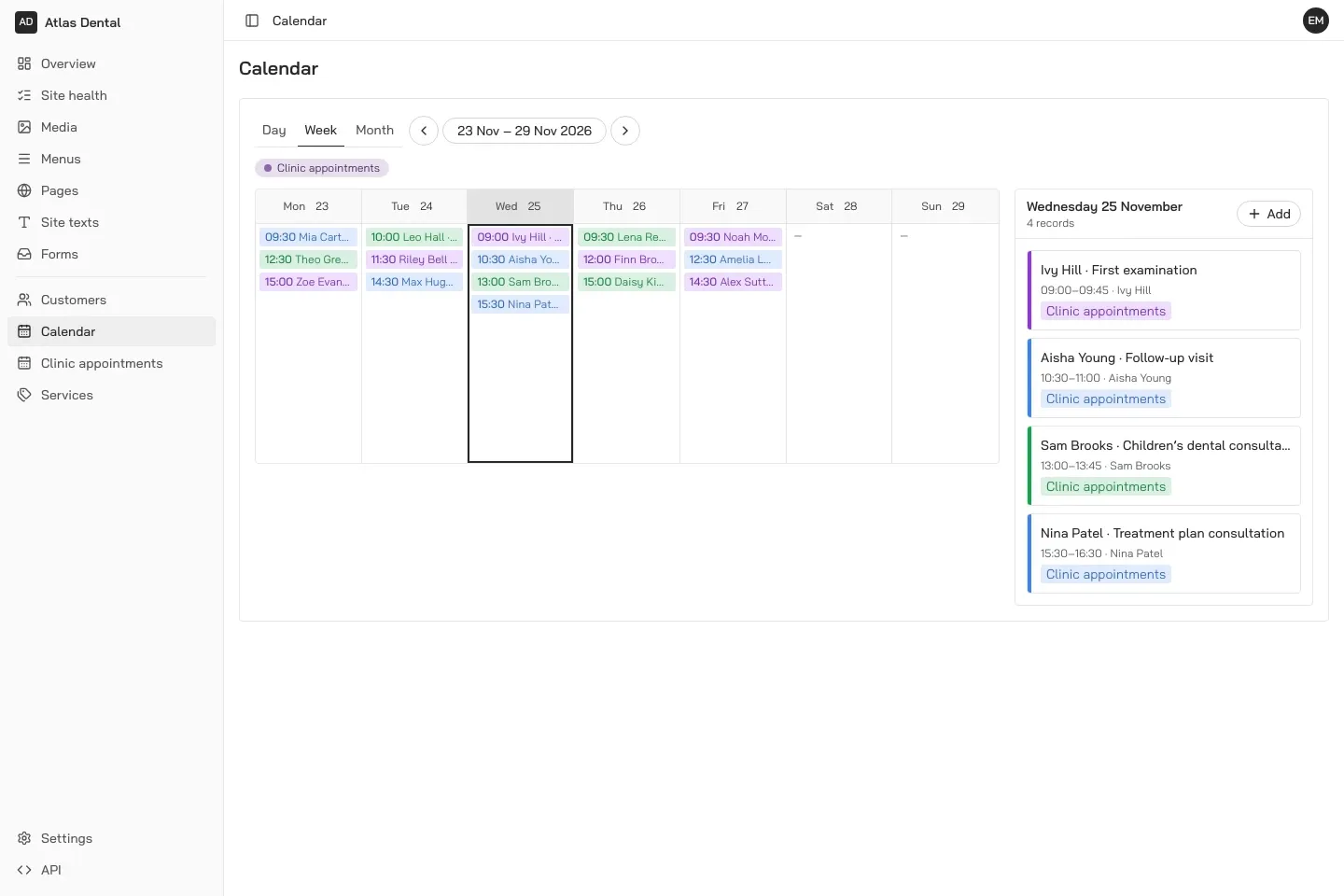
A dental clinic's website answers two questions: which treatments does this clinic offer, and how do I get an appointment? On Workzed you describe your work in your own words; the AI consultant asks questions, shows the pages it will set up and builds what you approve. Your treatment and service pages, practitioner and team profiles and first-visit information go online, and an appointment form collects the patient's preferred day and how they would like to be contacted. In the admin panel enquiries sit in a list showing who owns each one and which are still waiting, and confirmed appointments sit on the clinic calendar by practitioner, day and status.
A dental clinic's day with Workzed
- In the morning reception opens the enquiry list: appointment requests from the evening before are there with each patient's preferred day and contact method. Each enquiry is given an owner, and answered ones are kept apart from those still waiting.
- Before noon reception calls patients back, agrees a time with each and marks the appointment as confirmed; it then shows on that practitioner's calendar.
- In the afternoon a patient cancels tomorrow's appointment. Reception updates the slot on the calendar and offers it to an enquiry waiting for the same practitioner.
- In the evening you post the days the clinic will be closed over the holidays on the website. Tomorrow's calendar is checked, and patients get their appointment reminders by SMS, WhatsApp or e-mail.
What the site and panel include
- Treatment and service pages explaining what the clinic does and what to expect at a first consultation
- An appointment enquiry form for the preferred day and contact method
- A clinic calendar by practitioner, day and status
- Enquiry follow-up: what has been answered, what is waiting and who owns it
- Practitioner and team profiles
- A first-visit page covering directions, clinic access and what to bring
- Announcements for holiday closures and changed hours, a blog and a contact page
Frequently asked questions
Will patients send health information through the site?
You decide during setup which details the form asks for. The site form collects what an appointment needs, such as name, contact details and preferred day; treatment details are taken through the clinic's own process.
Can patients pick a time directly on the site?
In the standard flow the patient gives a preferred day and reception confirms the time. If you want patients to choose a free time from a practitioner's working hours themselves, you tell the consultant, and online booking is set up that way.
Do patients get appointment reminders?
Yes. Reminders go by SMS, WhatsApp or e-mail, and you choose which channel to use during setup.
Can the site be in more than one language?
Yes. The site can be published in several languages; treatment pages, first-visit information and forms are available in every language you choose.