
How to build a beauty salon website with AI
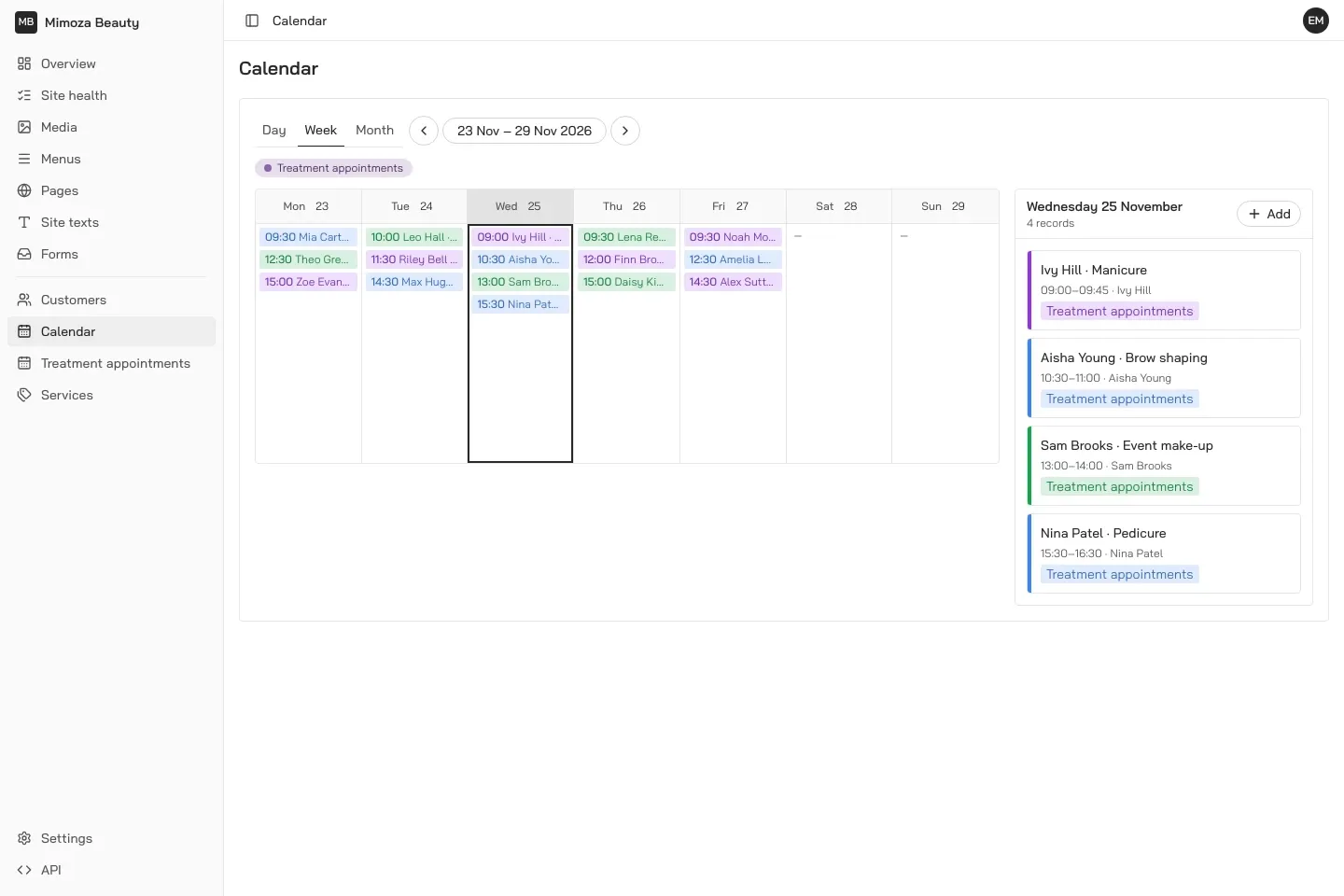
A beauty salon's website answers two questions: which treatment suits me, and who can see me, and when? On Workzed you describe your work in your own words; the AI consultant asks questions, shows the pages it will set up and builds what you approve. Your facials, manicures, pedicures, brow, lash and nail treatments go online with descriptions, durations and prices; practitioner profiles show which treatments each team member offers, and visitors choose a treatment and an available time to book. In the admin panel the day's booked and free times sit on one calendar by practitioner and treatment.
A beauty salon's day with Workzed
- In the morning you check the practitioner calendar: who has facials, who has manicures and pedicures, and where the gaps are. Appointments confirmed on the site are already on the right practitioner's calendar.
- Before noon a first-time visitor cannot decide between two facials and fills in the consultation form. The question waits for you in the panel; you reply and suggest the treatment that suits her.
- In the afternoon a client who has read a package page asks about a treatment package covering several services. The page sets out what is included, how long it is valid and how to enquire; her enquiry lands in the panel, and you reply with her contact details and past appointments in view on her client record.
- In the evening you check tomorrow's calendar, and clients get their appointment reminders by SMS, WhatsApp or e-mail. You publish the week's blog post, a short guide on preparing for a first appointment.
What the site and panel include
- Facials, manicures, pedicures, brow, lash and nail treatments with descriptions, durations and prices
- Online booking by treatment and available time
- An appointment calendar by practitioner and treatment
- Client records with contact details and visit history
- Treatment package pages with inclusions, validity and how to enquire
- A consultation form for visitors who are still deciding
- Practitioner profiles, a blog and a contact page with the location, hours, phone number and directions
Frequently asked questions
Can a client book with a particular practitioner?
Yes. Appointments are booked by practitioner; each one's treatments and working hours are on their own record, and the site shows only that person's free times.
What can I offer a visitor who does not know which treatment to choose?
The consultation form. The visitor writes her question, the enquiry lands in the panel, and once you have replied she books the treatment that suits her.
Can I track how many sessions of a package a client has used?
A package page shows what is included, its validity and how to enquire. If you also want to count sessions used, you tell the consultant, and it asks you during setup.
What about clients who forget their appointment?
A reminder goes to the client by SMS, WhatsApp or e-mail before the appointment. You choose the channel during setup.